When a company thinks about website security, the first association is often something very technical: hackers, servers, passwords, firewalls, viruses or complex cybersecurity systems. In reality, for many small and medium-sized businesses, website protection starts from much more practical questions: is WordPress updated, are the plugins in order, is there a backup, does the contact form work, are access rights under control and would anyone even notice if something went wrong on the website?
A company website is not just a nice online business card. If the website brings enquiries, supports SEO, receives advertising traffic, collects leads through contact forms or builds trust in the company, then its technical condition is directly connected to business results. If the website breaks, a form stops sending messages, the site becomes slow or malicious content appears on it, this is not only an IT problem. It can mean lost enquiries, wasted advertising budget, weaker visibility in Google and less trust from potential customers.
This is especially important for WordPress websites. WordPress is a flexible and widely used platform, but that is exactly why it needs regular maintenance. The WordPress core, plugins, themes, forms, security settings and backups are not things that can be set up once and then forgotten for years.
The Estonian Information System Authority has emphasised in its company cybersecurity guide that information security is an ongoing process, not a one-time project. The same principle applies to a business website: a safer and more reliable website is created through regular updates, backups, access control, technical monitoring and a clear recovery plan.
In this article, we look practically at why website security matters for business, what risks appear on an unmaintained WordPress site, why backups and updates are not a “technical luxury”, and how website maintenance helps reduce risks and keep the website ready for enquiries, SEO and advertising.
What does this article cover?
This article explains why website security, WordPress updates, backups, form protection and regular maintenance matter for business, and how a technically healthy website supports SEO, advertising, enquiries and trust.
Why does website security matter for business?
Many companies start thinking about website security only after something has already happened. A contact form stops sending messages. The website becomes very slow. A warning appears in Google Search Console. An advertising campaign brings visitors, but no enquiries come in. An unknown user appears in the website admin panel. After a plugin update, the layout breaks. Or worse: the website starts showing foreign content, spam or malicious redirects.
The problem is that website security risks do not always appear visibly. Very often, the website still looks like it is working, while old plugins, an outdated WordPress version, unnecessary users, weak passwords, broken forms, missing backups or technical errors are building up in the background. The business owner may only see that “the website is online”, while the actual technical condition may be much weaker.
Website security matters for at least four reasons. First, it protects the company’s reputation and trust. Second, it helps avoid lost enquiries and sales opportunities. Third, it supports SEO and visibility in Google. Fourth, it reduces situations where fixing the problem becomes much more expensive than regular preventive maintenance.
For a small business, website cybersecurity does not have to mean a complex enterprise-level IT system. Very often, reasonable protection starts with simple but consistent actions: updates, backups, access control, contact form protection, security settings checks and regular technical review.
Website security is not only an IT topic
Website security is often viewed too narrowly. It is assumed to concern only the server, code or developer. In reality, the technical condition of a website directly affects a company’s marketing and sales.
If a company invests in Google Ads or Meta Ads, but the landing page is slow, broken or unsafe, the advertising budget may be wasted. If the contact form does not work, enquiries do not reach the company. If the website shows technical errors, trust decreases. If Google detects malicious content on the website, it can affect visibility and user trust in search results.
That is why website security should not be seen only as an IT cost, but as business risk management. Just as a company maintains its tools, checks accounting or manages contracts, it should also take care of its website if that website is part of sales, visibility and customer communication.
If the website is an important channel for the business, its technical condition should not be random. The question is not only whether the website opens today. The question is whether it will work reliably tomorrow, next month and when more traffic arrives.
A safer website starts with regular maintenance.
WordPress updates, backups, access control, form testing and technical checks help reduce risks and keep your website ready for enquiries, SEO and advertising.
Why do WordPress websites need regular maintenance?
WordPress is one of the world’s most widely used content management systems and works well for company websites, blogs, landing pages and even e-commerce websites. Its strength is flexibility: it can use different themes, plugins, forms, SEO tools, analytics, design blocks and custom solutions.
But the same flexibility also creates responsibility. Every plugin, theme and additional function is part of the technical system. If they are not updated, if there are too many of them, if some are unnecessary or if they come from an unreliable source, the website’s risk level can grow.
The official WordPress security guide highlights the importance of using trusted sources, keeping backups, knowing the condition of your WordPress installation and having a recovery plan. This is a very practical idea: security is not only about avoiding attacks, but also about being prepared when something goes wrong.
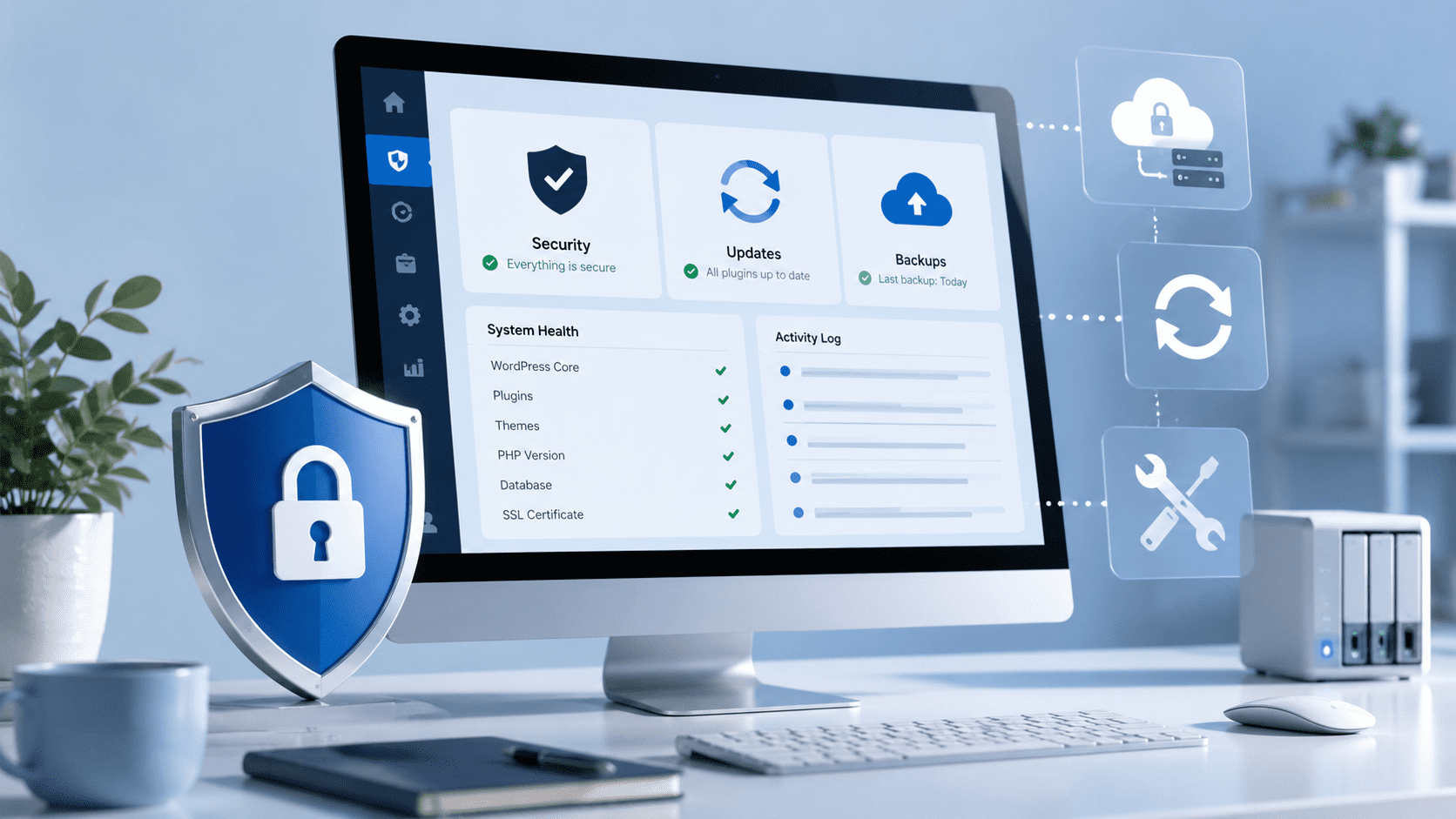
Regular WordPress maintenance helps check whether the main technical layers of the website are in order: the WordPress version, plugins, theme, contact forms, backups, access rights, SSL, visible errors, mobile view and basic SEO signals.
If this is not done, the website may continue to work for some time, but risks accumulate. At some point, a small outdated plugin, old theme or missing backup can become a problem that takes much more time to solve than regular preventive checks.
WordPress updates: why should they not be postponed forever?
WordPress, plugin and theme updates are not only about new features. Updates often fix security issues, compatibility problems, technical bugs and performance. If updates are postponed for too long, the website may keep using old components with known risks or components that no longer work well with newer PHP versions, browsers or other plugins.
At the same time, this does not mean that every update should be installed blindly and immediately. WordPress updates can sometimes create conflicts: one plugin may not work with another, part of the theme may break, a form may stop working or the layout may shift. That is why updating should be a controlled process.
A good practice is simple: before larger updates, check whether a backup exists; after updates, test the important elements; and if something goes wrong, there must be a way to restore the website or fix the issue quickly.
For a business, it is important not only that WordPress is updated, but also that updates do not break the website’s business function. If a contact form or enquiry button stops working, the company may lose leads without noticing it immediately.
Backups: why should they exist before a problem happens?
A backup is one of the most boring but most important parts of website security. You do not need it while everything works. But when something breaks, an update causes an error, malicious content appears on the website or an important part is accidentally deleted, a backup may be the fastest way to restore the website to a normal state.
It is important to understand that “we probably have a backup in hosting” is not always a sufficient answer. You need to know how often the backup is created, how long it is stored, whether it includes both files and the database, whether it can actually be restored and who knows how to restore it.
The official WordPress documentation also emphasises the importance of backups and a recovery plan. The idea is very practical: when a problem happens, the company should not start checking only then whether a backup exists. That information should be clear in advance.
Backups are especially important before larger updates, before adding new functionality, before changing the website structure and before development work. If something goes wrong, it should be possible to return to the previous working version.
A good backup process is not only about copying data. It is about confidence that the website can be restored within a reasonable time and without unnecessary panic.
A backup is useful only when it can actually be used.
We check whether your WordPress website has backups, how they are created, whether important data is protected and what the recovery logic would be if something went wrong.
Contact forms, spam and automated attacks
For many business websites, the most important element is not the large image on the homepage or a nice animation. It is the contact form. If the form works, a potential customer can send an enquiry. If the form does not work, the whole marketing channel may quietly leak.
There are several common problems with contact forms. The form may stop sending emails. Messages may go to spam. Bots may start filling in the form. Form protection may be too weak. Or the opposite: the form protection may become too inconvenient for a real user and the person leaves without submitting the enquiry.
If a company runs advertising or SEO, forms should be tested regularly. It is not enough that the form worked when the website was launched. Changes in plugins, email settings, SMTP, spam filters or security settings can affect whether the enquiry actually reaches the right inbox.
Form protection is not only about reducing spam. It is also about protecting enquiries. If the form is the company’s main contact channel, its reliability should be part of regular website maintenance.
Access rights and passwords: who actually manages your website?
One underestimated security risk is messy access management. Over time, many business websites collect several users: a former developer, former employee, agency, intern, temporary marketer or test account. Sometimes the business owner no longer knows exactly who has access to the website admin area.
If users have too many permissions, weak passwords or old accounts remain active, the risk increases. There should not be more administrators in the website admin area than necessary. Every access should have a clear reason and responsibility.
A practical check could include reviewing users, removing unnecessary accounts, changing passwords, correcting user roles and, when needed, using two-factor authentication. For a small business, this is often one of the simplest ways to reduce risk.
Access rights are also important when a developer, agency or employee changes. Website, domain, hosting and analytics access should remain under the company’s control, not randomly connected to someone’s personal account.
We covered this topic more deeply in our article about domain and web hosting before website development, where one of the key points was that technical access and ownership should be clear before development starts.
How does website security affect SEO?
SEO is usually associated with keywords, content, meta titles, internal links and Google rankings. But SEO also needs a technically healthy website. If the website is slow, unstable, affected by malicious content, full of broken links or has indexing problems, this can limit organic visibility.
Google has long provided guidance for website owners whose sites have been hacked and explains that users and webmasters may see warnings when a compromised website is detected in search results. For a business, this is a very harmful signal: a person who sees a warning in search results may decide not to click at all.
Security also affects SEO indirectly. If the website goes down, important pages do not open, forms do not work, the site becomes slow or Google cannot index pages correctly, the whole organic growth system suffers.
That is why SEO and technical maintenance should work together. If a company invests in content, articles or SEO services, the technical foundation of the website must support that work. Otherwise, good content can get stuck behind a weak technical system.
Why does security also affect ads and enquiries?
When a website receives traffic from advertising, reliability becomes even more important. With advertising, the company pays for every click, impression or campaign. If the user arrives on a page that loads slowly, shows an error, is uncomfortable on mobile or has a form that does not work, the advertising budget may be wasted.
In such a situation, companies often look at the campaign first: is the audience wrong, are the keywords wrong, is the ad text weak? These can be valid questions. But sometimes the problem is much simpler: the website is not technically ready to receive advertising traffic.
If a company runs Google Ads, Meta Ads or sends people to a campaign landing page, at least the basics should be checked: whether the page opens quickly, whether the mobile view works, whether buttons lead to the right place, whether the form sends emails, whether the thank-you page or tracking works and whether the page has visible technical errors.
Website maintenance is therefore not only a technical service. It is part of marketing performance. If the website is the channel where SEO, advertising and social media traffic are sent, that channel must work.
If advertising brings traffic, the website must be ready to receive it.
We check forms, CTAs, mobile view, speed, technical errors and basic SEO health so your website does not become the weakest link in advertising or organic traffic.
What should be checked in website security?
A company does not need to understand every technical detail deeply, but it is useful to know which areas should be under control. Website security is not one button or one plugin. It is the combined effect of several smaller things.
A practical website security check should include at least the following topics:
- whether the WordPress version is up to date;
- whether plugins and the theme are updated;
- whether only necessary and trusted plugins are used;
- whether backups exist and can be restored;
- whether contact forms work and are protected from spam;
- whether user access rights are in order;
- whether SSL is active;
- whether the website has visible technical errors;
- whether the mobile view and important buttons work;
- whether Google Search Console shows serious technical warnings;
- whether advertising landing pages and enquiry forms work;
- whether the company knows what to do if the website breaks.
If there is no clear answer to these questions, it does not automatically mean that the website is in danger. But it does mean that its technical condition should be reviewed. Often, the first step can be a simple security check and a clear list of what should be improved.
When is maintenance enough and when is deeper help needed?
Not all websites need the same level of maintenance. A small WordPress website with one main service needs different support than an active business website with a blog, ads, multilingual content, forms and an SEO strategy. That is why the maintenance scope should depend on the role the website plays in the business.
For a simpler website, regular technical checks may be enough: updates, form testing, backup checks and a review of visible errors. For a more active website, it makes sense to add basic SEO health checks, Google Search Console signal monitoring, landing page checks and smaller technical improvements.
If the website is already broken, outdated, very slow, infected or technically poorly built, normal maintenance may not be enough. In that case, it is better to start with a deeper technical audit, security check or development work.
Sometimes it also has to be said honestly that continuously fixing an old website is no longer reasonable. If the technical foundation is weak, the design is outdated and the structure does not support SEO or enquiries, a new SEO-ready website may be a better solution.
The right answer depends on the condition of the website and how important it is for the company. The worst option is when nobody checks anything and problems are discovered only after they already affect customers.
Summary: a secure website is a better maintained website
Website security is not only about whether someone tries to attack the site. It is also about whether the website is updated, backed up, checked and ready to recover if something goes wrong.
For a company, the website is often an important part of sales, visibility and trust. If the website does not work, forms do not send enquiries, Google shows warnings or advertising traffic lands on a broken page, the impact is already business-related, not only technical.
Regular WordPress maintenance, backups, updates, access control, form protection and technical review do not provide a 100% guarantee against every problem. But they reduce risks, help notice problems earlier and make recovery easier if something still happens.
If the website supports SEO, advertising, content, enquiries or customer communication, its technical condition should not be left to chance. A safer and well-maintained website gives the company a better foundation for growth.
Is your WordPress website updated, backed up and technically checked?
Visibilion helps companies keep their WordPress website working and safer: updates, backups, form checks, access review, basic technical SEO health and smaller fixes when needed.
Send us your website address. We will look at whether regular maintenance, a one-time security check or deeper technical improvements would be the right next step.
View website maintenance → Request an initial review →